B Impact account settings
Security Regarding Data in the Assessment
B Lab, its affiliates, or its contractors, may use the information you submit through the B Impact Assessment to develop and validate the Assessment. Separately, B Lab reserves the right to share aggregated and anonymous data on B Analytics with its affiliates, contractors, partners, academics, and in publications, based upon data submitted through this system. When aggregated in this way, B Lab will use commercially reasonable efforts to ensure that Company data does not appear with identifiable information or in a benchmark group with less than five other data points. Notwithstanding B Lab’s efforts, it is possible that partners, academics, readers or other users would be able to determine the identity of the Company based on the anonymous information.
TABLE OF CONTENTS
File Security
To complete the B Certification process, you will be asked to provide documentation for our review team to evaluate. This data is necessary to validate an assessment score and is not intended to be shared or permanently stored. To ensure your data is secure, we have implemented the following file security policies.
File Storage Policy
Files are stored in a private Amazon S3 file store. 2-factor authentication is required for all accounts.
File Access Policy
Files will only be accessible by the following groups:
- Account owners
- Review team members
- System administrators
- Global partners with access to your region
File Retention Policy
All uploaded files attached to an assessment will be deleted unless:
1. The file is attached to an assessment/review that is currently in progress
2. The file is attached to an assessment/review that was completed in the last 6 months
There is currently no time limit to how long a file will be preserved if it is attached to an ongoing assessment.
However, a company may request the permanent deletion of all files at any time.
In the event that you have indicated your affiliation with, or membership in one of our Standards Partners organizations, B Lab reserves the right to share your information with our Standards Partners (organizations that B Lab has entered into a relationship with in regards to the B Impact Assessment or B Analytics). Data that is shared with our Standards Partners are subject to the privacy policies of our partners.
Users entering material into the Web Site are responsible for the content of that material. B Lab does not have responsibility for other Content, including the content of any messages or information posted by Users or others, or for the content of information accessible via direct or indirect hyperlinks from the Web Site. Nevertheless, B Lab retains the right, which it may or may not exercise in its sole discretion, to review, edit, or delete other Content that B Lab deems to be illegal, offensive, or otherwise inappropriate.
For a detailed description of our Terms of Use see here: https://www.bcorporation.net/en-us/terms-of-use
For a detailed description of our Privacy Policy see here: https://bcorporation.net/privacy-policy
B Impact Assessment Standard Official Language and Translations
The official version of the B Impact Assessment standard is in English. B Lab Global offers translations into four additional languages: Spanish, Portuguese, Italian, and French.
B Lab Global strives to ensure accuracy in translations, but users may notice errors. The English version of the standard is the basis for all certification decisions so in case of inconsistency between versions, reference defaults to the official language version.
You are welcome to use the Feedback option on the specific question to submit your translation-related feedback. As B Lab Global is able to prioritize translation improvements, the feedback provided will be considered.
We apologize for the inconvenience that translation errors might cause and hope that you can clarify any questions by exploring the English version, engaging with your local B Lab office, or logging a ticket.
How to add or create a new company
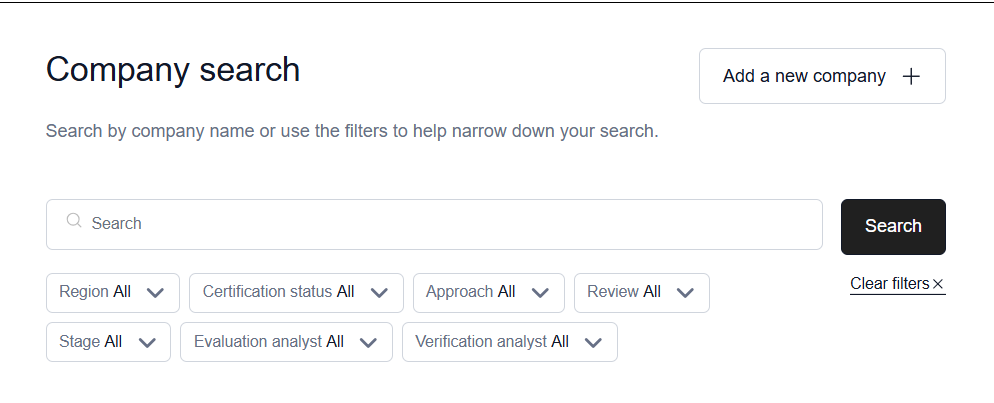
The Companies List page allows you to search for companies you have access to and create new ones as needed.
Search for a new company
If you have access to multiple companies, you'll be presented with an option to choose which one to view upon logging in. For most users, this will give you a list of all companies you have access to. You can use the search bar to filter across all your companies using either:
The company name
The email address of a Team Member associated with a company
Create a new company
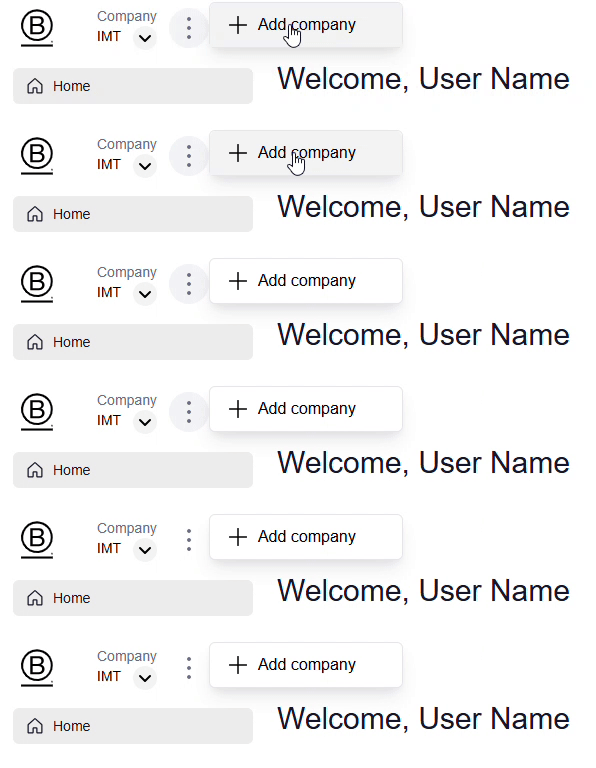
A user can navigate to the Companies list page from either the Company search page or from the Home view and select the three dots to Add a New Company. It will prompt you to select certification interest or measuring impact. If you’re a multi-national company or have multiple subsidiaries, you can create multiple companies in this way, and give individual users access to each.
How do I delete my account?
Deleting your B Impact Assessment account is an irreversible process. Once your user profile, account, and B Impact Assessment data have been removed, it can not be retrieved.
If you would like to delete your user profile and all associated account data please complete the following steps:
Log into the B Impact Assessment at https://impact.bimpactassessment.net/
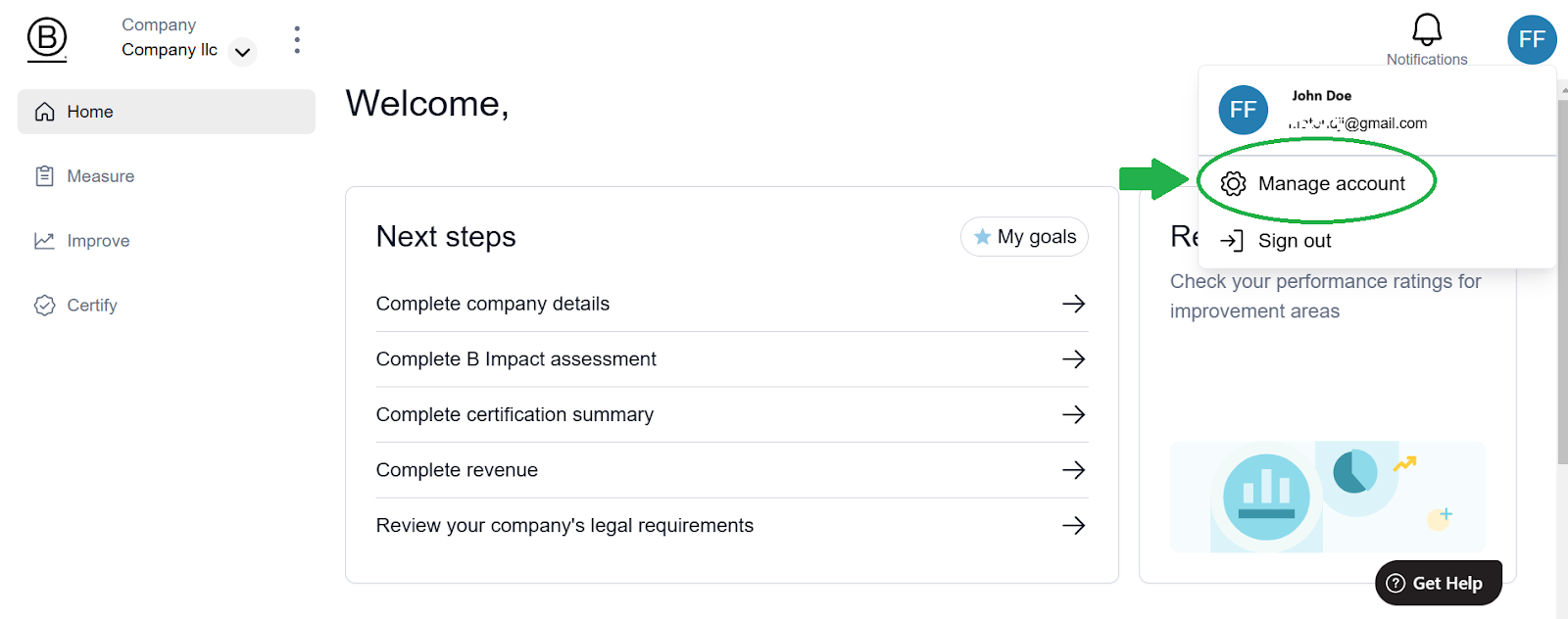
You will land on your Home page. Click on the top right menu avatar icon and select “Manage account” as demonstrated below.
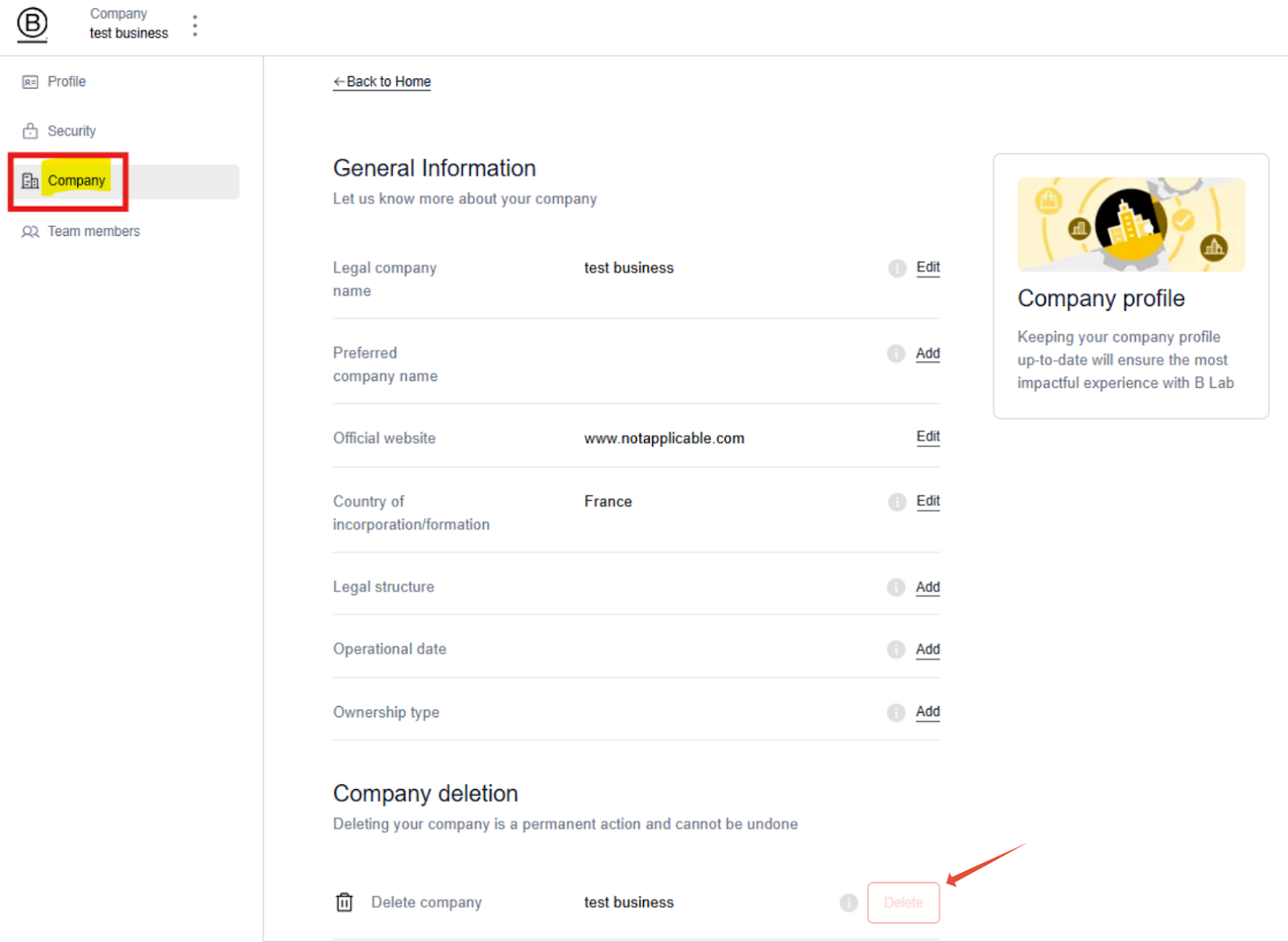
Select the Company tab on the left hand menu
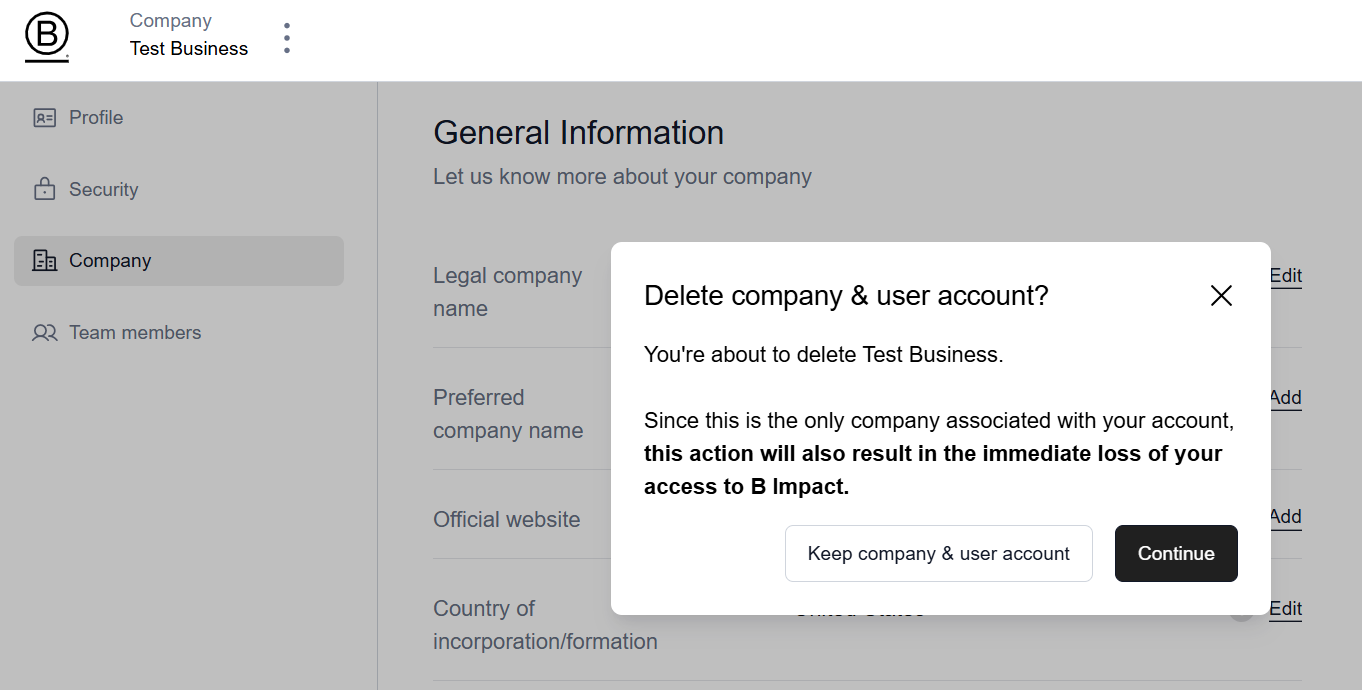
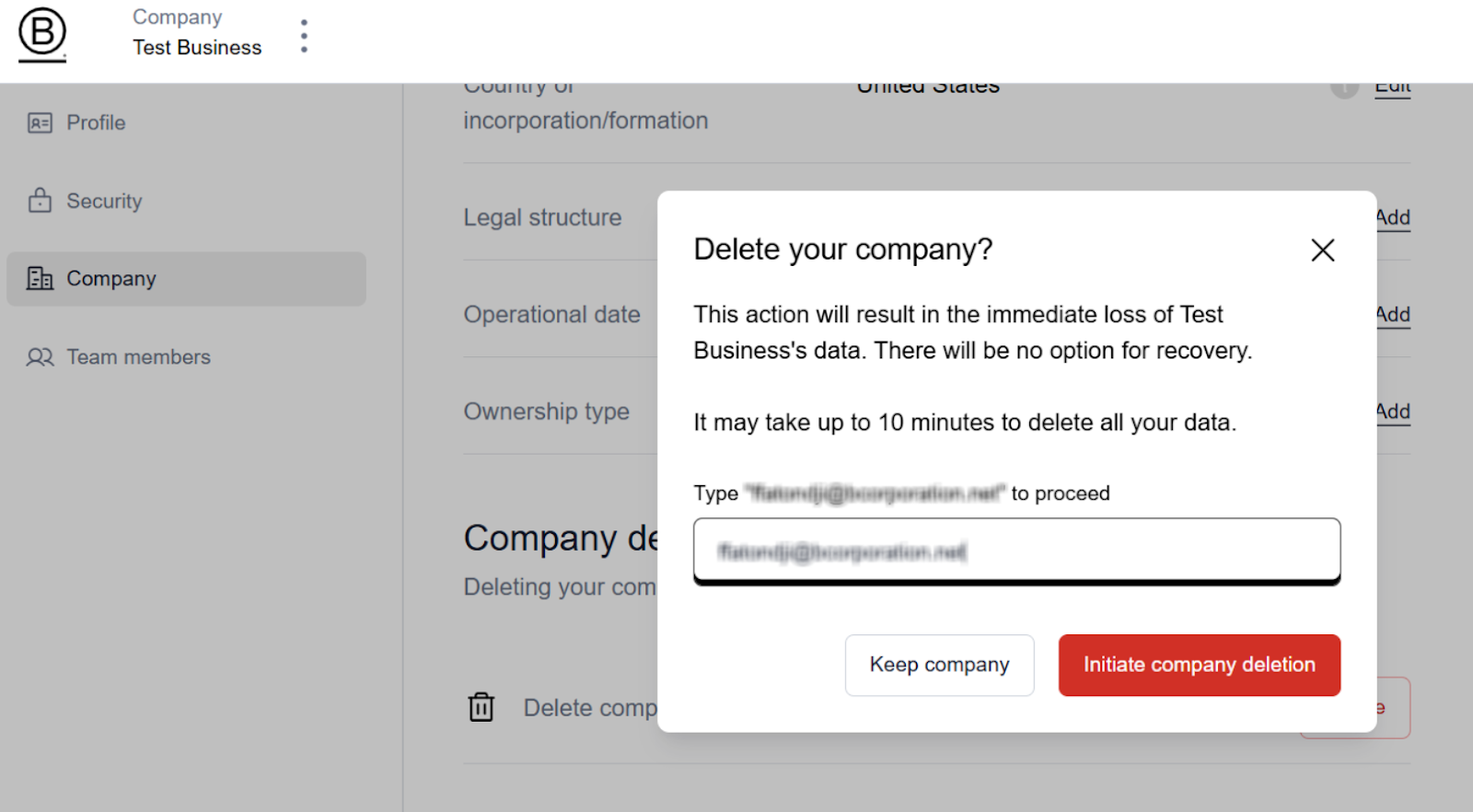
Click the Delete Company button at the bottom of the page.
You must continue and enter the confirmation text and click Confirm
Why can't my account be deleted?
You may not be able to delete your account data in some cases, such as:
The account is still on the initial setup stage
The account is a Certified B Corp
The account is a Pending B Corp
The account has been submitted for review to become a Certified B Corp
The account has more than 1 team member associated with it
The account has data sharing enabled with a fund
If you have additional questions or requests about your data, please open a support request here. You can also read our Terms of Use and Privacy Policy to learn more about what data we collect and how we use it.