Once you have completed your self-assessment and uploaded supporting documentation, you have already completed a significant amount of the process. To complete final steps to submit your Assessment, navigate to Certification > Submission on the left-hand menu.
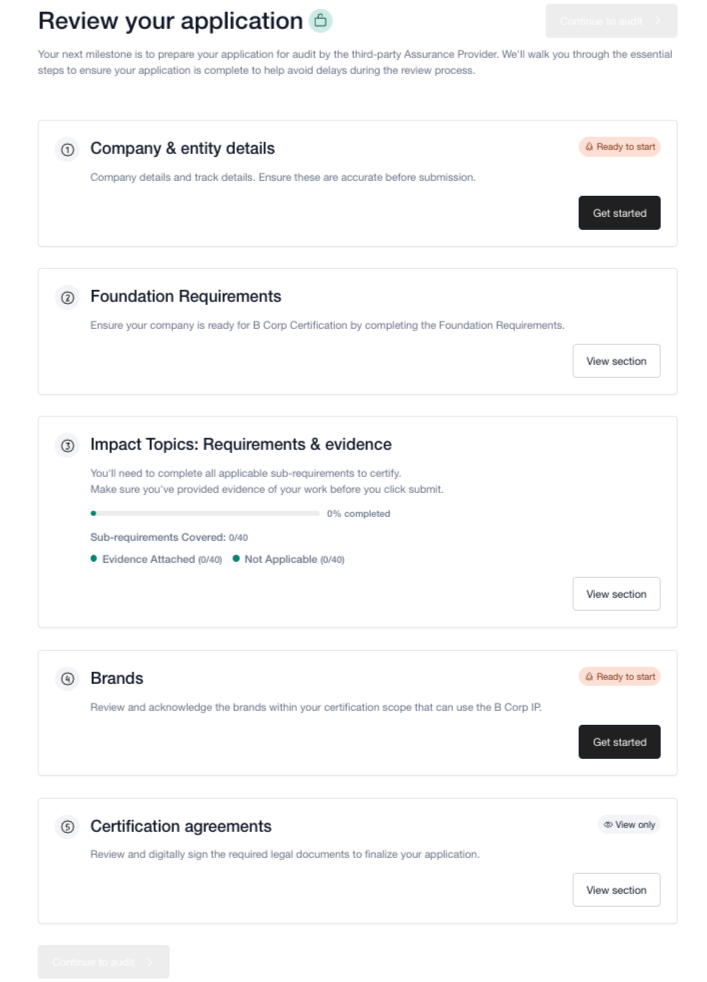
On the Submission page, you’ll see the different sections that need to be reviewed and acknowledged before finalizing your submission.
Company and entity details: Confirm the accuracy and completeness of your company’s information. If your company has multiple sites, in this step you’ll be asked to submit a site template with a list of all your sites. For more information, see the article Finalizing your company and entity details.
Foundation requirements: Ensure that you have completed the applicable Foundation Requirements.
Impact Topic Requirements: Ensure that you have completed your self-assessment with the Impact Topic requirements and uploaded accurate evidence for all applicable requirements.
Brands: Review the list of brands included your certification - only brands marked as eligible here will be allowed to use the B Corp IP. Learn how to request a brand review here.
Certification agreements: Sign the B Lab agreement and digitally accept the terms of use for the B Corp audit platform. For more information on how to receive the B Lab agreement, see this article about certification agreements.
Once you have completed the necessary sections on the Submission page, the “Continue to audit” becomes green and clickable. Click on this button to proceed to the audit phase.
Selecting this option is irreversible which means that you cannot undo the selection.
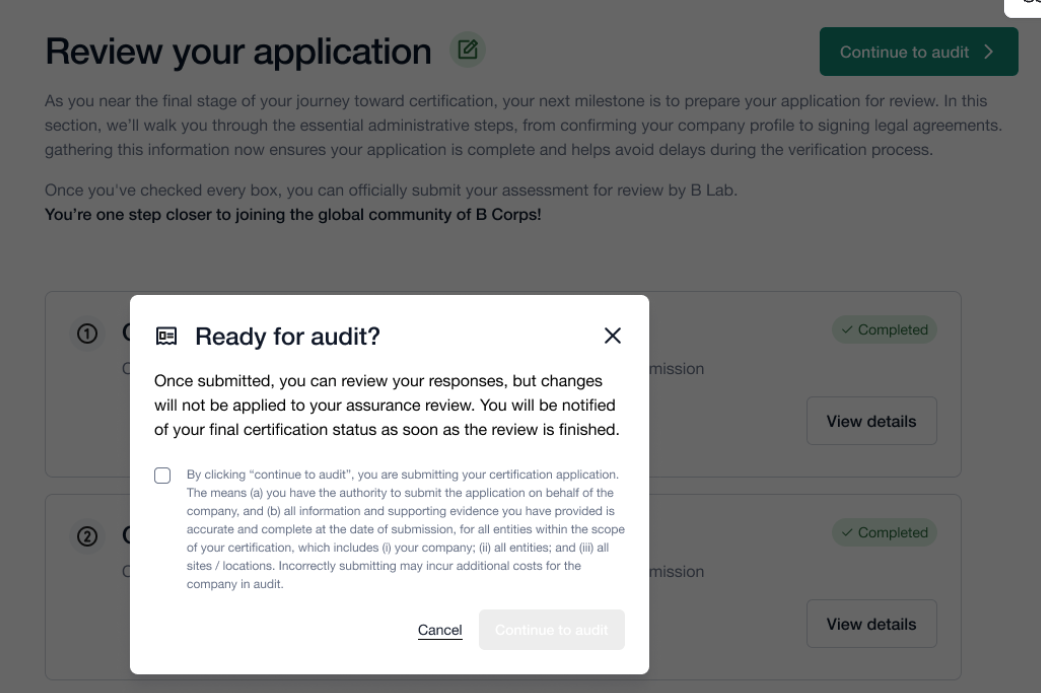
After you select “Continue to audit” on this screen, all evidence provided thus far in B Impact will be transferred to the B Impact Audit section. After this, you’ll need to request an audit in the audit section.
These articles walk through steps and guidance to prepare for an audit on B Lab’s standards:
Was this article helpful?
That’s Great!
Thank you for your feedback
Sorry! We couldn't be helpful
Thank you for your feedback
Feedback sent
We appreciate your effort and will try to fix the article