Using the different features automatically populates your dashboard. Access the assessment dashboard (through the left hand menu) for a centralized view of your overall progress. This makes it easier to track progress at a glance, identify bottlenecks, and manage completion across teams.
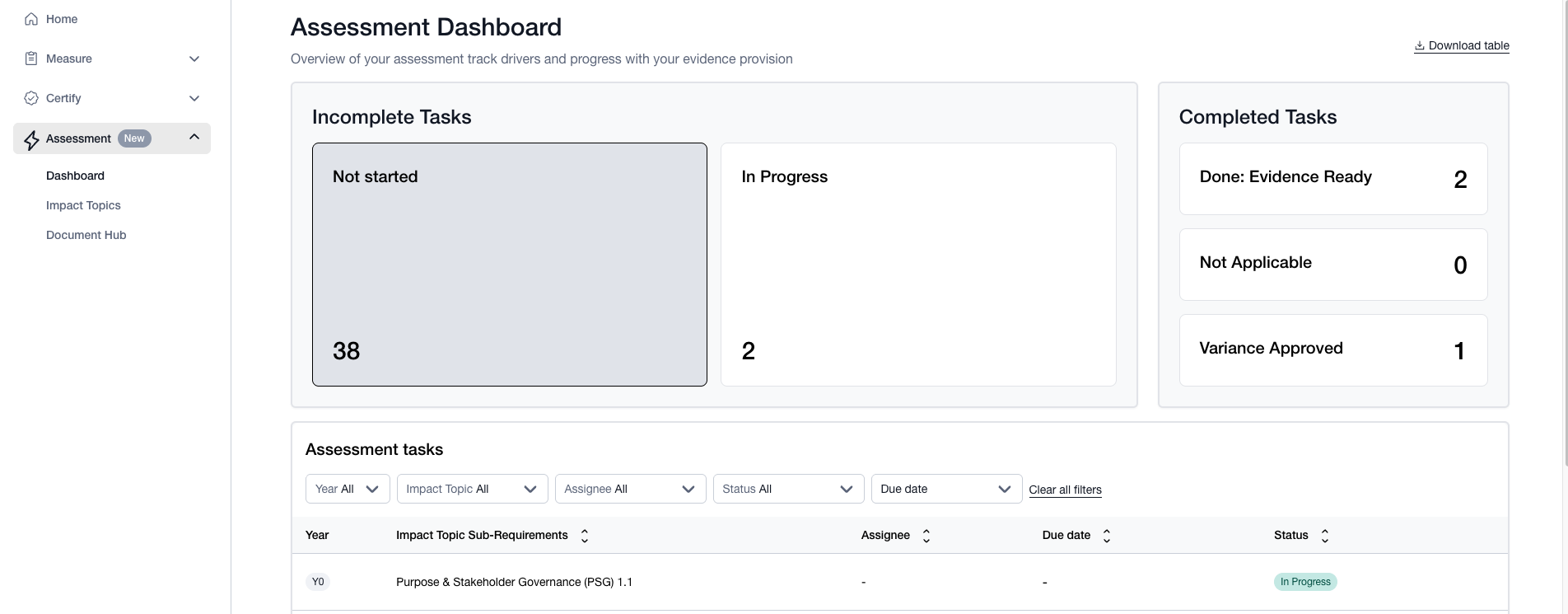
The features in the dashboard show the company’s progress on meeting the sub requirements, categorized in the following cards:
Incomplete Tasks which include those that are “Not Started” and “In Progress”.
Completed Tasks which include those that are “Done: Evidence Ready” and those that may be "Not Applicable".
These statuses are mainly used by you and your team members and are not reviewed by B Lab or the Assurance providers until the audit phase has started.
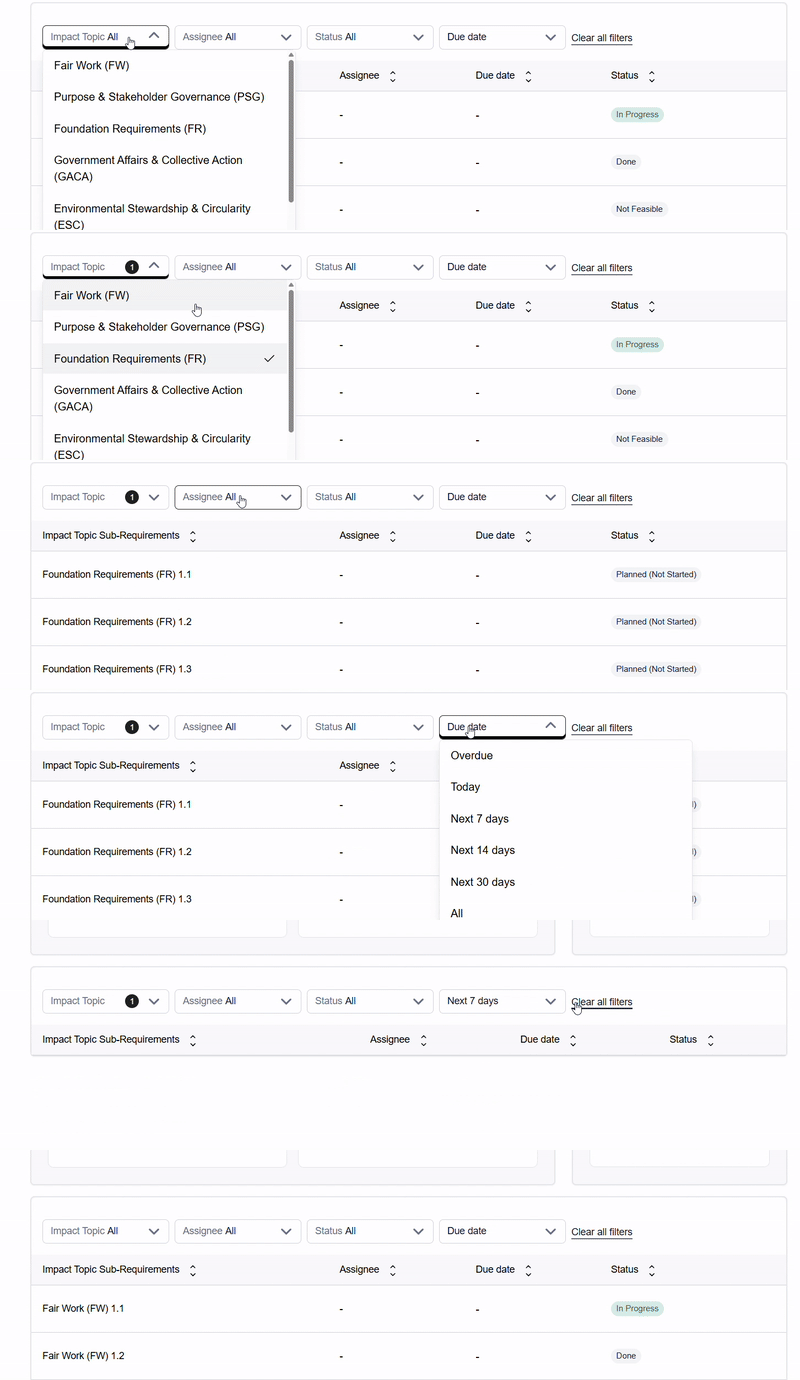
The main section of the dashboard offers a filter on the following categories:
- Impact Topic
- Assignee
- Status
- Due date
Learn more about how to track a requirement in the Self assessment.
Was this article helpful?
That’s Great!
Thank you for your feedback
Sorry! We couldn't be helpful
Thank you for your feedback
Feedback sent
We appreciate your effort and will try to fix the article