- Introduction
- Step 1: Receive and review your Certification Scope
- Step 2: Complete the Foundation Requirements
- Step 3: Access your Impact Topic Requirements
- Step 4: Manage the self-assessment with your team
- Step 5: Upload evidence for each sub-requirement
- Step 6: Request variances where applicable
- Step 7: Confirm completion and submit for audit
- What happens next
Introduction
Once you’ve completed your Certification Setup (see Completing your Certification Setup), you’re ready to begin the B Corp self-assessment. Each company must complete a self-assessment in order to achieve B Corp Certification. The self-assessment allows companies to evaluate their level of preparedness and compliance with the B Lab Standards before the certification audit, and auditors use it as the starting point for each audit. Companies are also required to update their self-assessment ahead of initial, surveillance, and recertification audits.
This article walks through the full self-assessment process, from receiving your scope memo to submitting your completed assessment for audit.
Step 1: Receive and review your Certification Scope
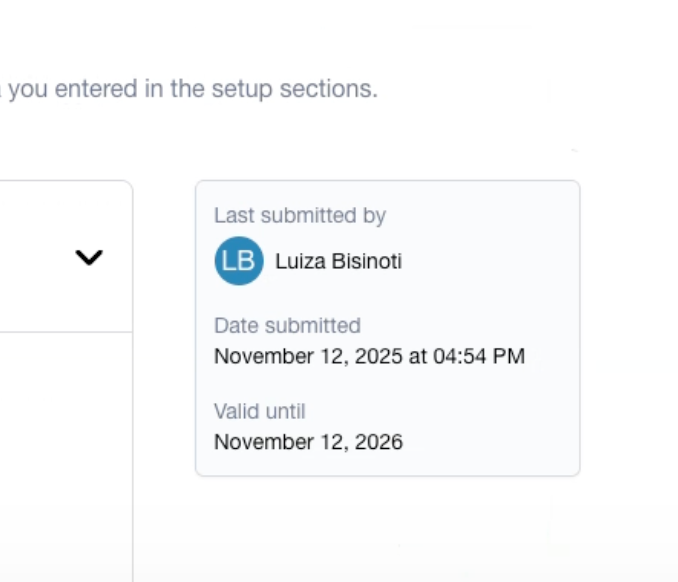
At the end of Certification Setup, you’ll receive a Certification Scope in your Setup dashboard.
Your Certification Scope includes key details such as:
- The legal entity or entities included in certification
- Legal Requirement designation for entities in scope
- Your assigned certification track
After receiving your Certification Scope, you are able to review the information provided and ensure that it is accurate for your company.
- If the information in the Scope is accurate:
Your customized self-assessment will be generated automatically based on the approved scope. - If the Certification Scope does not reflect your company’s information:
You will go back to the scoping-related sections in Certification Setup and update your information. B Lab will review your input and update the scope memo if needed before you can proceed. If you disagree with the scope that B Lab has determined based on the information provided, you may submit an appeal through a ticket.
You won’t be able to begin the self-assessment until an accurate Certification Scope is generated. You must complete and submit your self-assessment within 12 months of receiving a valid certification scope.
Step 2: Complete the Foundation Requirements
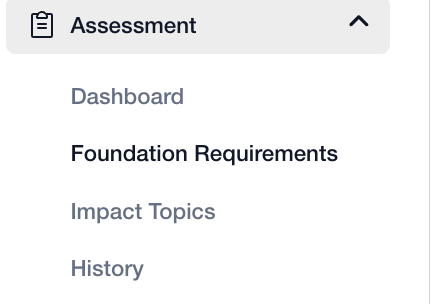
Once the scope memo is accepted, your customized self-assessment becomes available in the B Impact platform on the left-hand side menu. The assessment consists of Foundation Requirements and Impact Topic requirements.
Access and complete the Foundation Requirements by selected Assessment > Foundation Requirements on the left-hand menu.
Step 3: Access your Impact Topic Requirements
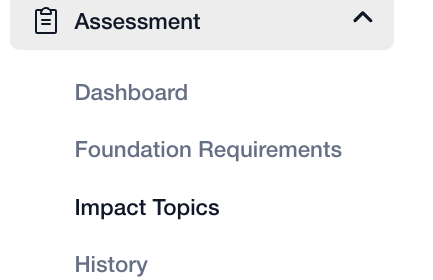
To view the requirements and sub-requirements organized by Impact Topics, select “Impact Topics” under the “Assessment” tab on the left-hand menu.
.
Within each sub-requirement, you’ll find supplementary resources to help you understand and implement the requirement. These may include guidance, recommendations, implementation tools, and links to additional resources. You’ll also see terms and definitions that clarify how key concepts are defined and applied within the standards.
Step 4: Manage the self-assessment with your team
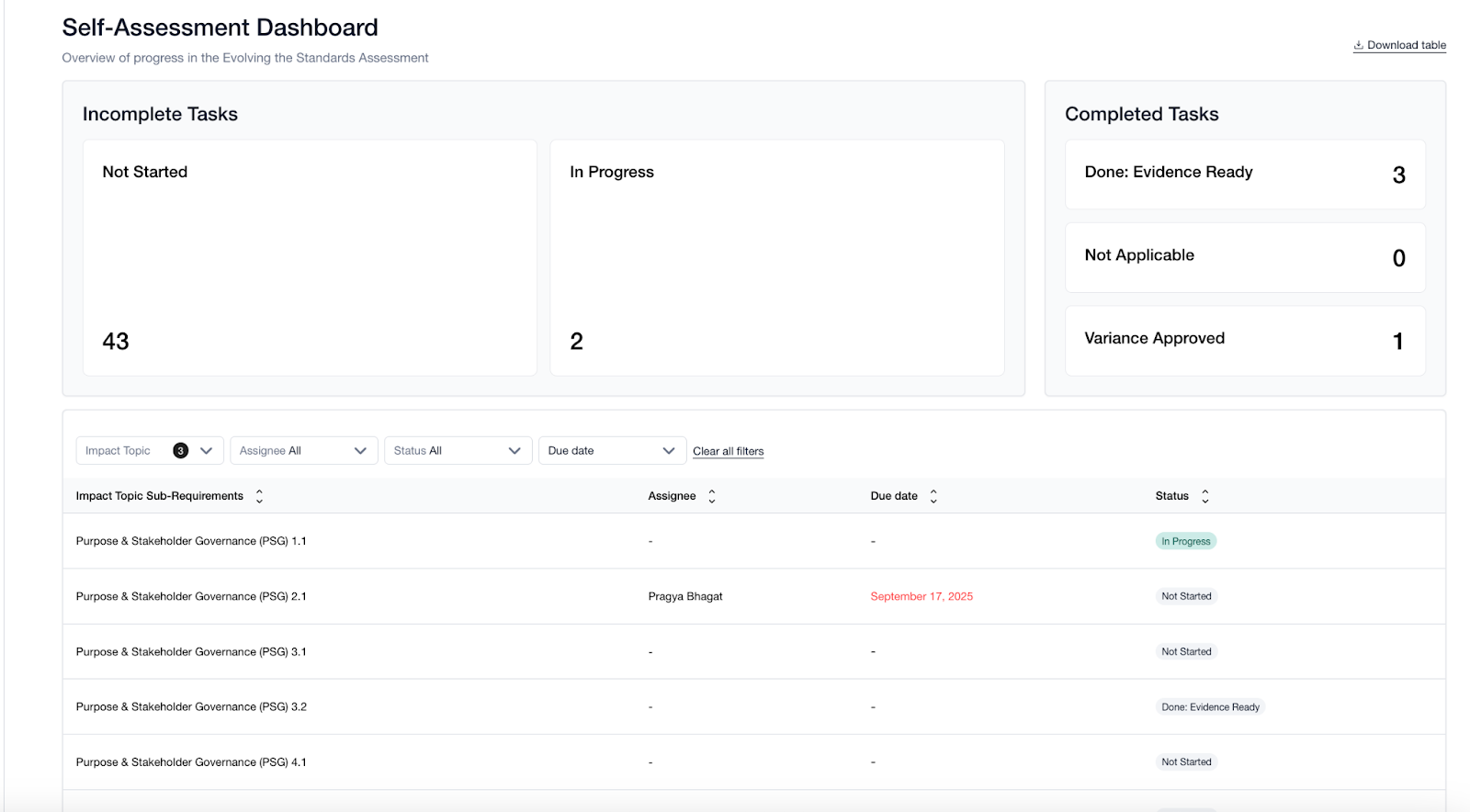
The self-assessment includes built-in tools to support internal project management and collaboration. For each sub-requirement, you can:
- Assign a due date
- Assign a responsible team member
- Use the comment function to coordinate internally, ask questions, or track decisions
Each sub-requirement also has one of four statuses to help track progress:
- Not started
- In progress
- Evidence ready
- Variance approved*
*This status will be reflected when B Lab has approved a variance, which means that the company is exempt from that sub-requirement. Companies cannot select this status themselves.
Using these features can help keep work on track and make it easier to coordinate across teams.
Step 5: Upload evidence for each sub-requirement
To complete the self-assessment, you’ll upload evidence demonstrating how your company meets each sub-requirement. For sub-requirements that have multiple compliance criteria, make sure that you upload evidence supporting compliance with each criterion.
When uploading evidence:
- Provide clear and relevant documentation, such as policies, procedures, records, or reports
- Indicate where the evidence can be found, including page numbers, section titles, or specific excerpts
- Ensure the evidence reflects current practices and applies to the scoped entity or entities
Clear references help auditors review your materials efficiently during the audit.
Step 6: Request variances where applicable
In some cases, a variance may be approved for a specific sub-requirement. A variance is a formally approved, time-bound exception to a B Lab Standard sub-requirement. It is typically granted when conforming to a sub-requirement is impossible due to objective limitations, such as legal, technical, or security infeasibilities. Read more about applying for variances in the article: What is a variance and how to request one.
If B Lab approves your variance request:
- You are exempt from uploading evidence for that item
- The status of the sub-requirement will be adjusted to variance approved by B Lab and considered complete
The variance request process may also be used to apply the Equity Mechanism when a company is eligible for it because of operational barriers in the country or territory they are based. For more information about the Equity Mechanism, refer to the articles: How the new B Lab Standards requirements are tailored to each company's context?, FAQs: Equity Mechanism.
Step 7: Confirm completion and submit for audit
Under the Certify menu, you will see a section for Submission. Your self-assessment is ready for submission once all sub-requirements are either:
- Have documentation uploaded and marked as evidence ready, or
- Marked as variance approved
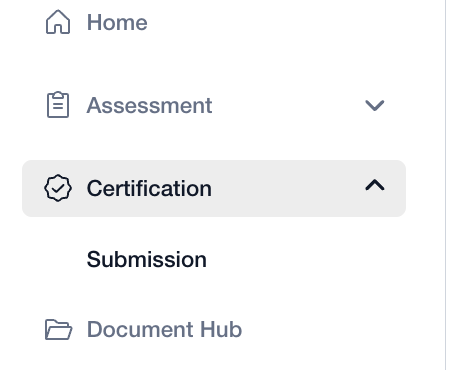
When everything is complete, you can continue to audit through the platform. Select Certification > Submission to access the submission page on B Impact.
On the Submission page, you are asked to:
- Ensure that your company and entity details are accurate
- Confirm that you have completed the Foundation Requirements
- Confirm that you have uploaded evidence for all applicable Impact Topic Requirements
- Sign the B Lab agreement
After completing these items, you submit your assessment by selecting the “Continue to Audit” button. Submission confirms that the information provided is accurate to the best of your knowledge and that you’re ready for the third-party audit.
Auditors will use your submitted self-assessment as the primary input for planning and conducting your audit.
What happens next
After submission, you'll move into the audit preparation and audit phase, where your evidence is reviewed, interviews are conducted, and conformity with the B Lab Standards is verified. Keeping your self-assessment complete and up to date will also support future surveillance and recertification audits throughout your certification cycle.
Was this article helpful?
That’s Great!
Thank you for your feedback
Sorry! We couldn't be helpful
Thank you for your feedback
Feedback sent
We appreciate your effort and will try to fix the article