- Introduction
- Foundation Requirement in B Impact
- Navigating to the Foundation Requirements
- How to complete the Foundation Requirements
Introduction
This article explains how to complete the Foundation Requirements in B Impact, which are the starting point for B Corp Certification. It covers the three areas you’ll need to complete—Eligibility, Legal Requirements, and, where applicable, the Risk Profile—and explains what to expect in each section before moving on to the self-assessment.
Foundation Requirement in B Impact
The Foundation Requirements establish the key eligibility and accountability requirements for B Corp Certification. All companies must meet them, regardless of size, sector, or location.
In this section of B Impact, you will assess your eligibility, meet the B Corp Legal Requirement, and complete a Risk profile. While Eligibility and Risk must be completed before you submit your assessment, the timeline for meeting the legal requirement will depend on your company's size, legal structure, and jurisdiction.
It is critical to make sure all the Foundation Requirements section is completed before working on the self-assessment to ensure that your company is eligible for certification. Additionally, your responses in the risk profile may add additional requirements to your self-assessment.
Navigating to the Foundation Requirements
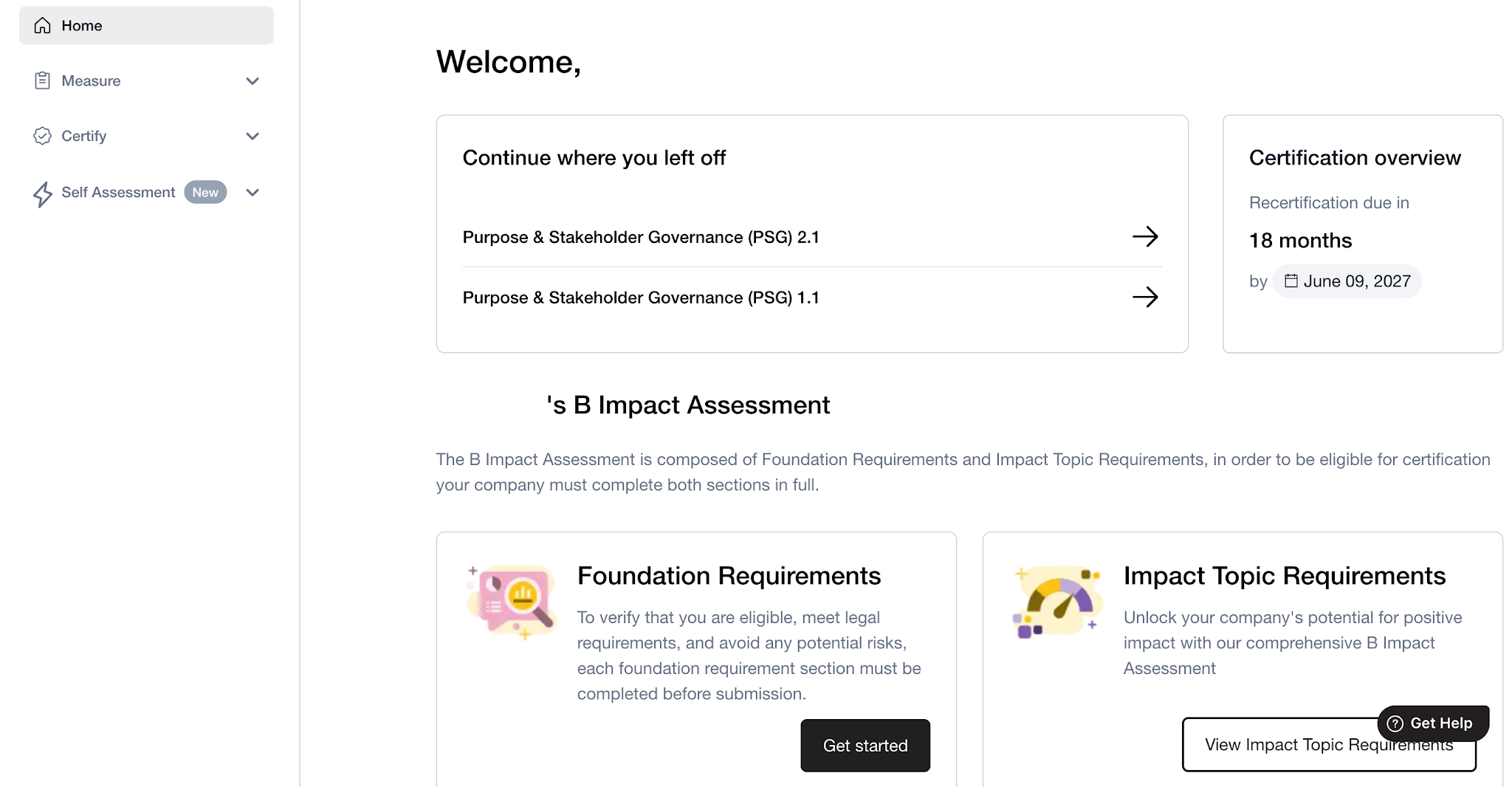
To navigate to the Foundation Requirements, select Assessment from the left-hand menu and select Foundation Requirements from the drop-down menu. You can also access the Foundation Requirements from your Home page.
Based on your company’s size, you will see two or three cards in this section:
FR1 – Eligibility: Ineligible industries and practices
FR2 – Legal Requirement
FR3 – Risk Profile (not applicable to Companies without workers or Micro companies)
How to complete the Foundation Requirements
1.Eligibility: Controversial Industries and Practices
The Eligibility section confirms that your company does not operate in industries or engage in practices that pose a high risk of negative impact to stakeholders. You’ll complete a short questionnaire to assess whether your company is significantly involved in industries or practices that undermine B Lab's Theory of Change.
For more details, see FR1.2: Determining eligibility for companies in restricted industries
2. Legal Requirements
The Legal Requirement section will indicate what actions your company has to take to meet the legal requirement. The timeline for meeting the legal requirement depends on your company's size, legal structure, and jurisdiction. Meeting the legal requirement may look different for different types of companies – whether it be adding language to your company’s governing documents or formally registering with a benefit corporation structure. Use our legal tool to understand your company’s pathway to meeting the legal requirement. Your company’s pathway and timeline for meeting the legal requirement will be indicated in this section on B Impact as well.
To upload evidence for the legal requirement, you’ll first need to add each entity that is in scope of your certification. Input the legal structure of each entity (for example, LLC, BV etc.). Once your entities are added, you will be able to see the legal pathway and upload evidence for each entity in scope. Note that you can only upload one document per entity – if you uploaded the incorrect file, you’ll have to delete it and upload a new document.
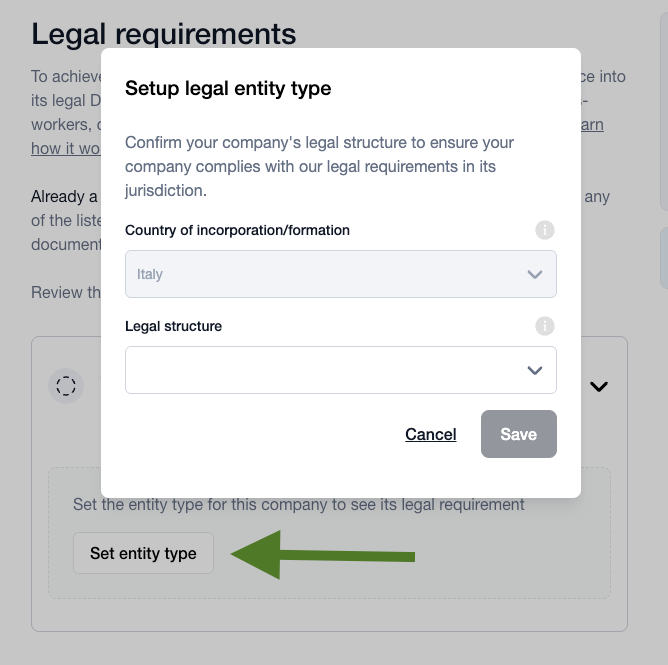
Evidence submitted will be verified by B Lab. This section will be completed when the status indicates either No immediate Action or Validated.
For more details on meeting the legal requirement, see FR2: How to meet the legal requirement.
3. Risk profile
Only companies designated “Small” and above have to complete the Risk profile. The Risk profile is a questionnaire with 14 questions that helps identify whether your company's activities present elevated human rights or environmental risks. The Risk profile helps companies assess their potential negative impacts and support them in identifying, preventing, and mitigating them. Based on your responses, specific sub-requirements may be added to the self-assessment.
Note that answering "yes" to a Risk Profile question does not make your company ineligible for certification – it simply ensures that companies with higher-risk activities are expected to demonstrate additional due diligence.
If you’re unsure about an answer, read through the guidance and definitions. Answer the question using the precautionary principle to risk. If you remain unsure, then answer “yes”.
As part of our transparency requirements, any affirmative responses to questions in the Risk Profile will be reflected in your public profile in the B Corp directory after certification.
For more details, see Managing negative impact through the Foundation Requirement.
You are able to edit your responses in the Risk Profile easily at any time before submitting your self-assessment for audit.
Was this article helpful?
That’s Great!
Thank you for your feedback
Sorry! We couldn't be helpful
Thank you for your feedback
Feedback sent
We appreciate your effort and will try to fix the article