- Introduction
- Where can I find my Certification scope summary?
- What can I expect to find in my Certification scope summary?
- What to do if your Certification Scope is inaccurate?
Introduction
During the certification setup stage, you provide key company information (ownership structure, entities, sites, workers, revenue, sector, and industry). B Lab uses this information to determine certification scope and track, which are documented in your certification scope summary in B Impact.
Your certification scope is the foundation of your B Corp Certification. Because all audit activities and certification claims will rely on the approved scope, B Lab communicates the certification scope to the assurance provider to quote certification services.
Where can I find my Certification scope summary?
You can access your certification scope summary directly in B Impact by selecting the Assessment> Setup tab in the left-hand menu, and selecting the Scope tab on the certification setup page. This page displays the results of your certification setup.
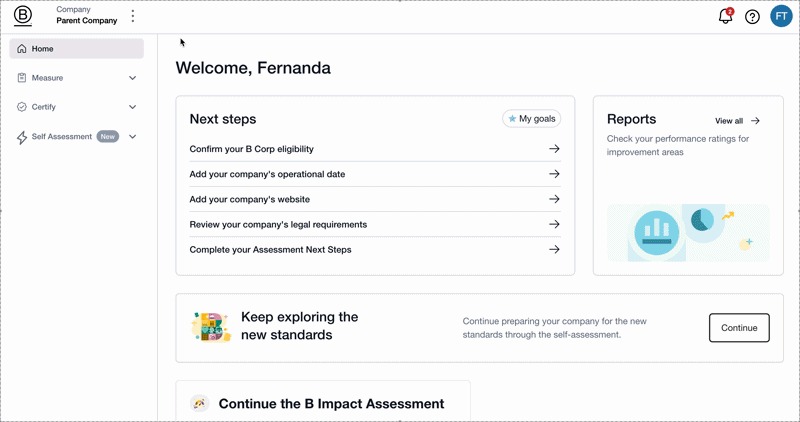
The Scope tab also shows the team member who submitted the certification setup, along with the submission date.
The Scope tab is your single source of truth for what is being certified, regardless of whether your certification scope was created through the automated scope summary or confirmed through a manual review.
Companies with complex structures do not always receive an immediate scope summary in setup. Depending on their complexity, they might undergo a review with a B Lab staff member to review whether additional certification requirements apply. These companies receive a Certification Scope Memo, which outlines their specific certification scope and related requirements.
What can I expect to find in my Certification scope summary?
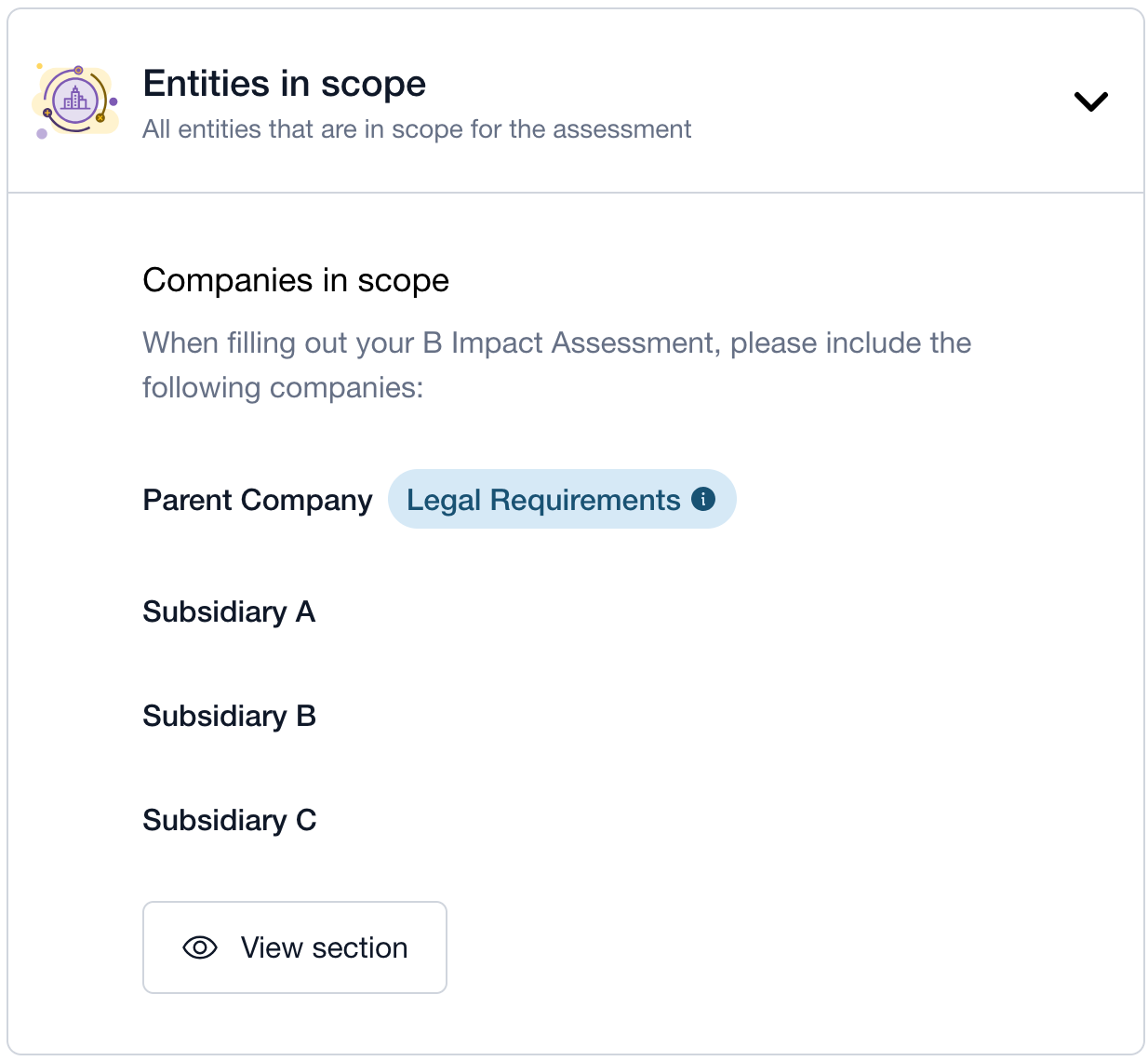
1.Entities in scope
Because B Corp Certification evaluates entire businesses rather than individual products, brands, or sites, scoping plays a critical role in making sure complex business structures are assessed fairly and consistently.
Here you will see:
All legal entities that need to be included when completing your company’s self-assessment
The legal entity/entities for which the legal requirement must be completed
All legal entities that need to be considered when completing the site information template. It is strongly recommended that you complete this template before uploading supporting evidence in your self-assessment. This helps ensure clarity on which sites are in scope and avoids confusion during the audit. For more details, see How to determine which sites are in scope for certification.
All legal entities that can use the B Corp brand. This is especially important for companies with shared brands, multiple subsidiaries, or several product lines. The Brand Review process ensures that only brands that are part of a company’s approved scope use B Lab intellectual property (IP) and are listed on the company’s B Corp profile.
As you read this section, ask yourself:
Are all legal entities that are consolidated and controlled listed here?
Are all legal entities that share operations listed here?
Are all legal entities that share a sustainability management system listed here?
For more details, see What to know about scoping your company for certification
2. Assessment scope
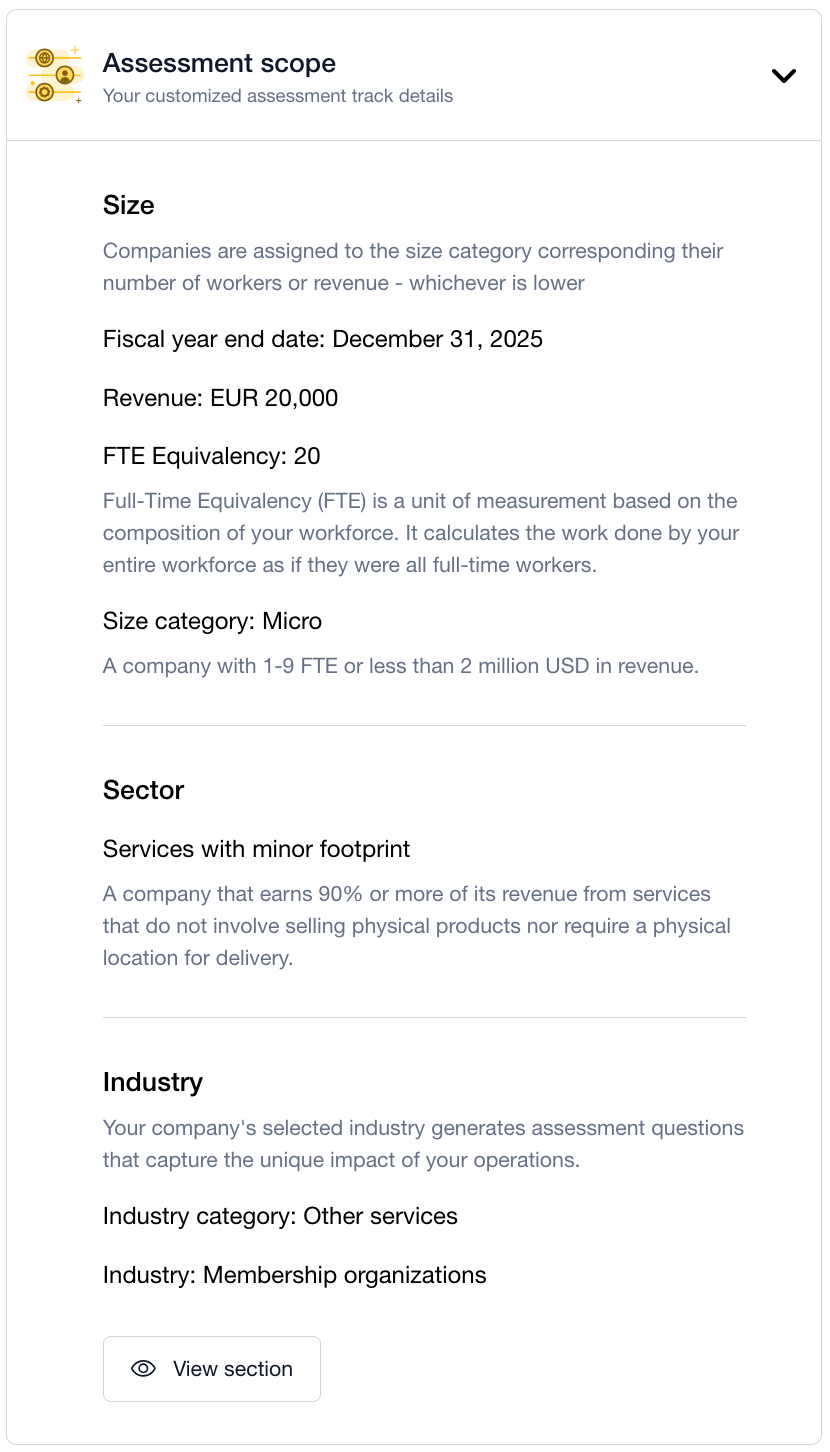
This section outlines your assigned certification track, which determines the requirements of your customized self-assessment in B Impact.
Here you will see:
Size: The number of workers (FTE) or total revenue for all legal entities in your certification scope.
Sector: Your company’s sector
Industry: Your company’s industry
What to do if your Certification Scope is inaccurate?
If the information in the scope summary is accurate, no further action is needed and you can proceed to completing Foundation Requirements and start working on your customized self-assessment in B Impact.
If the certification scope is inaccurate, you must go back to the relevant section of certification setup and update your company details for B Lab to review again. It’s important to correct any inaccuracies in your certification scope at this stage – if the scope is found to be inaccurate later in the process, it may cause certification delays and additional work. For step-by-step guidance on setup, see Certification setup: step-by-step guide.
Was this article helpful?
That’s Great!
Thank you for your feedback
Sorry! We couldn't be helpful
Thank you for your feedback
Feedback sent
We appreciate your effort and will try to fix the article