Introduction
Add a branded touch to your company profile by uploading a lifestyle image and your logo.
Think of the lifestyle image as your company’s visual story—similar to a banner on a social media profile. It provides an at-a-glance impression of your brand, while your logo adds a clear, recognizable finishing touch in the smaller space.
NB: As we are transitioning to a new version of the B Impact portal, the public profile section is under renovation.
How to edit your company branding in the B Impact Assessment
To edit your company branding, log in to your B Impact Assessment and follow these steps:
Step 1. You will land on your Home page
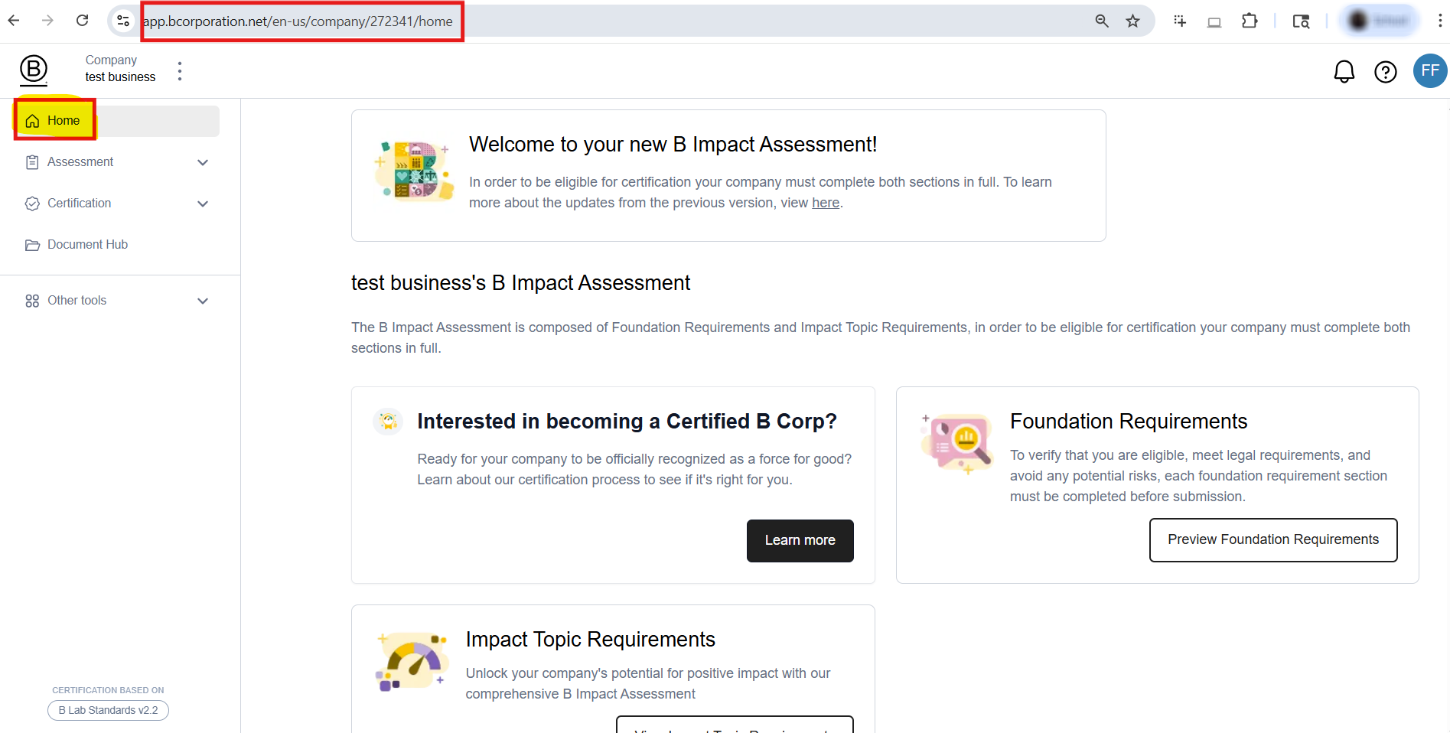
Step 2. To display your public profile, you may overwrite your home page URL from:
https://app.bcorporation.net/en-us/company/XXXX/home
To:
https://app.bcorporation.net/en-us/company/XXXX/certify/certification-summary/public-profile
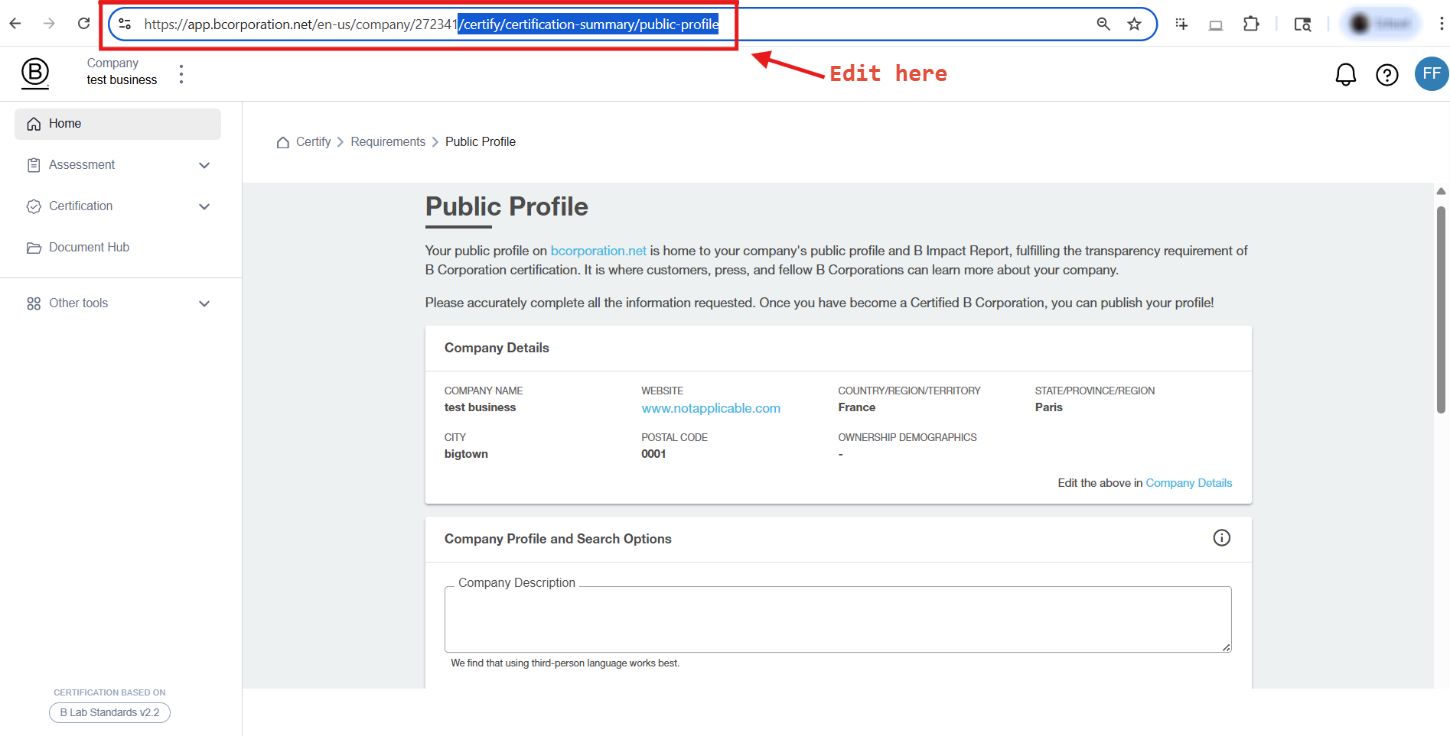
Step 3. Scroll down to the Company Branding section.
Step 4. Hover over the existing images, and click on the upload image icon relative to the image you would like to upload.
Step 5. Select a file from your computer. Your changes will be saved automatically.
Step 6. You should now see a preview similar to how your lifestyle image and logo will appear on your profile. If needed, re-upload your images until you are happy with how they appear together.
Step 7. When you are ready to publish the changes, scroll to the bottom of the page and click the button to Publish.
Note: it may take up to 24 hours for your changes to appear on your public profile.
Additional Information
Supported Image Formats
- PNG
- JPG
- SVG
File Size Limitations
- 1 MB
Image Suggestions
- Lifestyle Image: suggested dimensions are 1440 x 558 px (or larger with the same ratio)
- Logo: Various ratios will work and a transparent or white background is suggested
Was this article helpful?
That’s Great!
Thank you for your feedback
Sorry! We couldn't be helpful
Thank you for your feedback
Feedback sent
We appreciate your effort and will try to fix the article